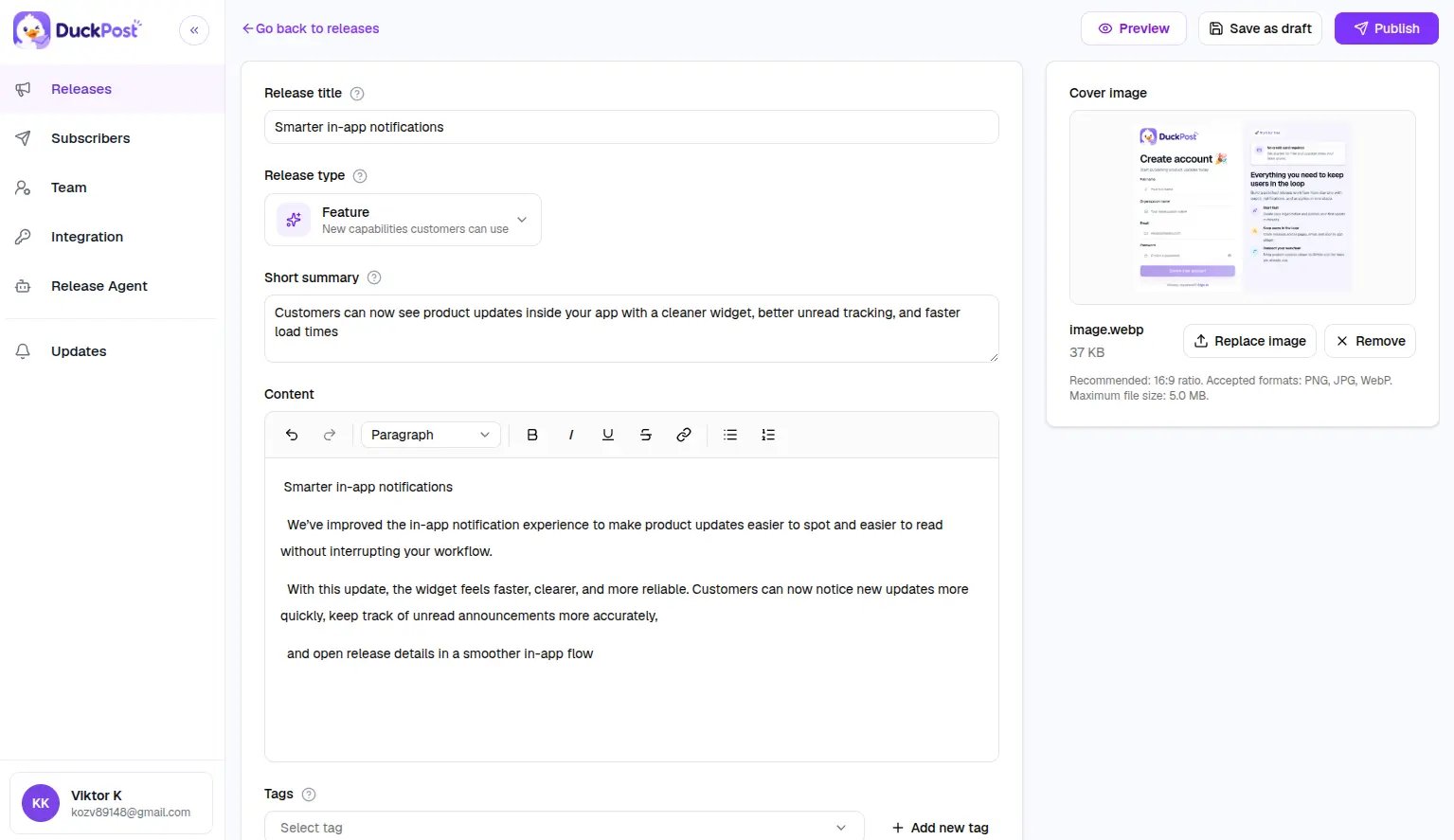
DuckPost uses one editor flow for new releases and edits. Start from Releases, then click New release.
What the editor includes
| Field | Required | Notes |
|---|
| Title | Yes | 3 to 100 characters |
| Summary | Yes | 10 to 240 characters |
| Rich text content | Yes | Must contain visible text |
| Release type | Yes | Pick the type that best matches the update |
| Cover image | No | PNG, JPG, or WebP, up to 5 MB |
| Tags | No | Reuse existing tags or create new ones |
Release types
Use release types to help customers scan your changelog faster:
PRODUCT_UPDATE for general improvementsPERFORMANCE for speed or reliability gainsFEATURE for new customer-facing capabilitiesBUG for fixesSECURITY_UPDATE for security-related work
Publish workflow
Write the release
Add the customer-facing title, summary, details, tags, and release type.
Preview the output
Use the editor preview tools to check the public page and widget presentation before you ship.
Choose a publish mode
Save as Draft, publish immediately, or schedule the release for later.
Decide on notifications
Turn subscriber notifications on if confirmed email subscribers and Slack channels should receive the release when it goes live.
Subscriber notifications
When a release goes live, DuckPost can notify:
- Confirmed email subscribers
- Connected Slack channels
If there are no subscribers, DuckPost still publishes the release. It only skips the outbound delivery.
Preview surfaces
The editor includes previews so you can review:
- The public changelog layout
- The widget layout
- Desktop and mobile presentation
Use preview before publishing if your release includes a cover image, longer content, or multiple tags.
Editing published releases
You can reopen an existing release and update it. Be careful when changing public headlines and summaries after publication because customers may already have seen or shared the original version.
Scheduled releases publish automatically at the selected time. Make sure your DuckPost deployment keeps scheduled publishing enabled and healthy.