

- 🌍 The hosted public changelog
- 🧩 The embeddable widget
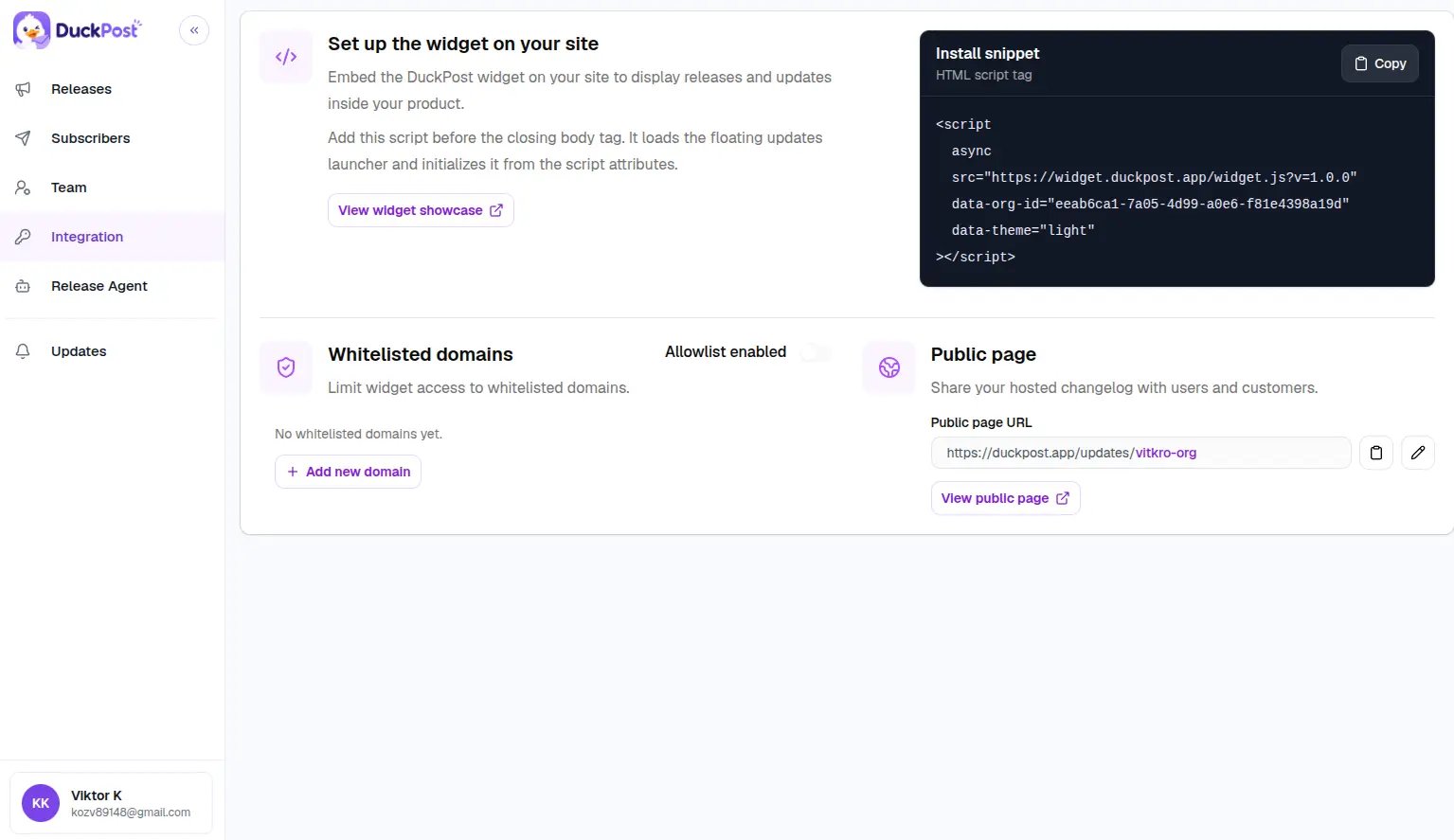
What you manage in Integration
- Your public changelog slug
- The public changelog URL you share with customers
- The widget install snippet
- The widget domain allowlist
- A link to the live widget showcase
Recommended setup flow
Publish your first release
A public page or widget is not very useful until you have at least one published release.
Open Integration
Go to duckpost.app/integration to copy your widget snippet and review your public URL.
Install the widget
Add the script snippet to your product and confirm it loads the right organization.
Integration sections
Public page
Learn how the public updates page works, how release permalinks behave, and how customers subscribe.
Widget
Copy the widget script, review setup examples, and configure the domain allowlist.
Widget showcase
Open the live showcase to preview the widget outside your app.