

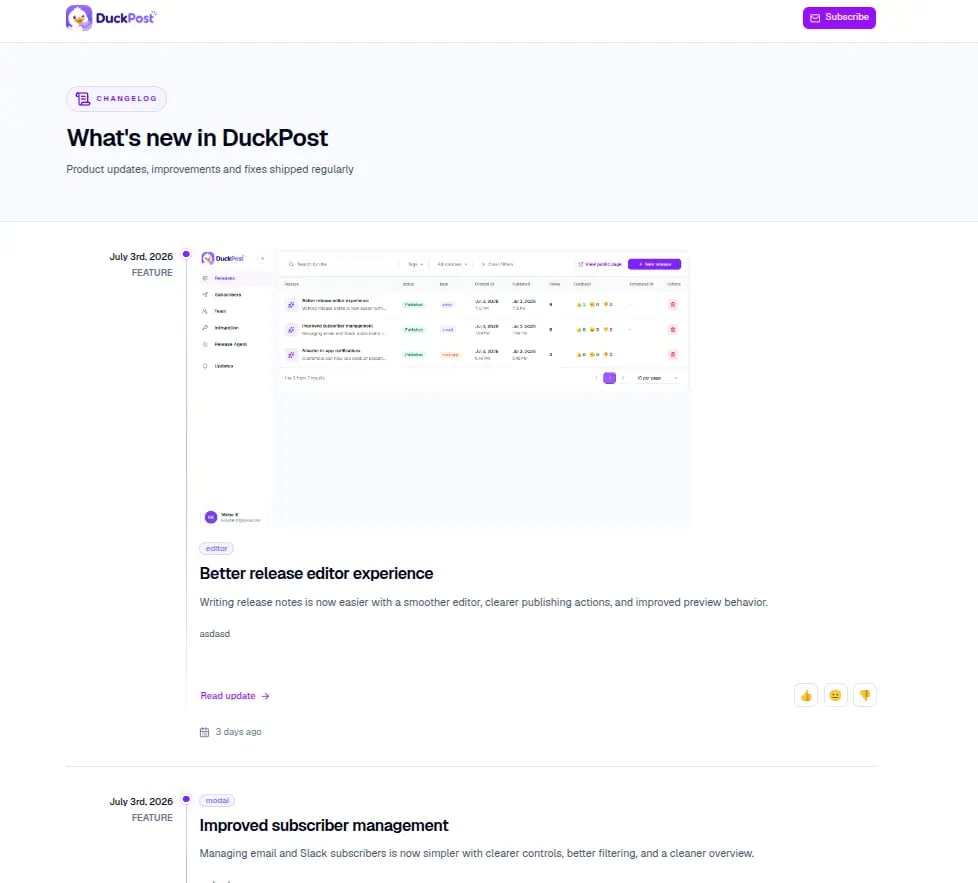
What the public page is for
- Share a permanent updates page with customers
- Publish product updates, improvements, and fixes in one timeline
- Let customers open a full detail page for each release
- Collect email and Slack subscribers from the same surface
- Gather lightweight reaction feedback on published releases
What customers see
The public page shows:- Your organization name in the page header
- A timeline of published releases
- Release tags, summaries, content, and optional images
- A Read update link that opens the full release permalink
- A Subscribe flow for email and Slack
- Feedback reactions on each published release
Public URLs
DuckPost uses two public URL patterns:- Changelog home:
https://duckpost.app/updates/<organization-slug> - Release detail page:
https://duckpost.app/updates/<organization-slug>/<release-slug>
Slug rules
Owners can change the organization slug from Integration.- Use lowercase letters, numbers, and hyphens
- Choose a stable slug before you share it widely
- Changing the slug changes the public URL
- Old public links stop working after the slug changes
How subscriptions work on the public page
Customers can subscribe directly from the public page:- Email subscriptions use a confirmation email
- Slack subscriptions use an Add to Slack flow
Feedback and engagement
Each public release can collect one simple reaction per visitor:- 👍 Good feedback
- 😐 Neutral feedback
- 👎 Bad feedback
Recommended public page flow
Set your public slug
Open duckpost.app/integration and choose a stable public changelog URL.
Publish your first release
Drafts stay private. Publish at least one release before you share the page.
Open the public page
Visit
duckpost.app/updates/<your-slug> and confirm the branding, content, and release order look right.Related pages
Integration overview
Start with the full integration setup and available options.
Widget
Embed the widget and show releases inside your product.
Subscribers
Understand email and Slack subscription delivery.