> ## Documentation Index
> Fetch the complete documentation index at: https://docs.duckpost.app/llms.txt
> Use this file to discover all available pages before exploring further.
# Releases overview
> See how DuckPost releases move from draft to publication, delivery, and measurement.
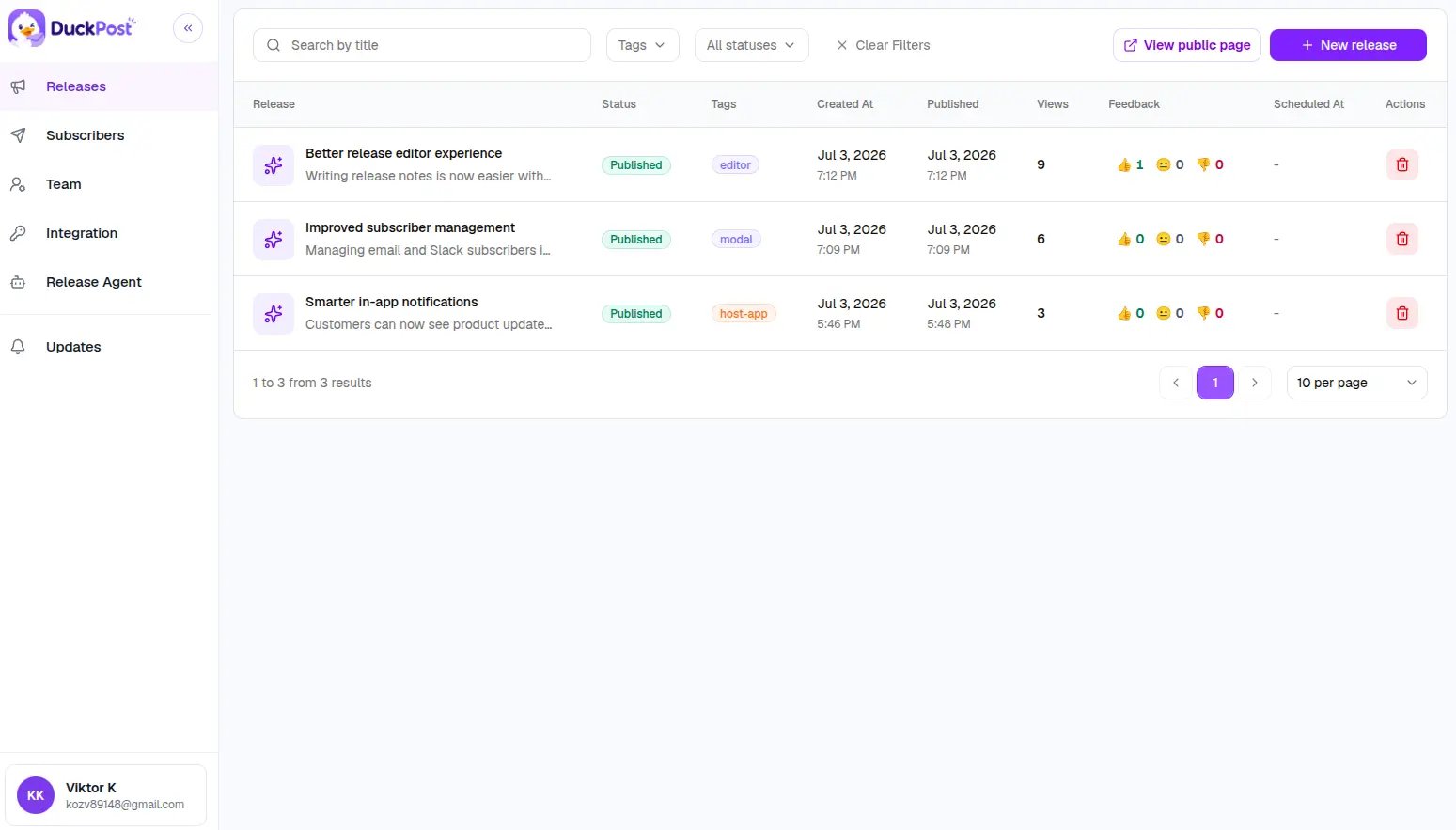
The [**Releases**](https://duckpost.app/releases) page is the main operating surface in DuckPost. It lets you create updates, filter existing releases, inspect performance, and open the public changelog for your organization.
## What you can do from Releases
* Create a new release
* Edit an existing release
* Save a private draft
* Publish immediately
* Schedule publication for later
* Filter by search, tags, and status
* Review views and reaction feedback
* Open the live public changelog
## Release sections
Learn the editor fields, release types, previews, and publish modes.
Understand drafts, scheduling, subscriber notifications, and engagement metrics.
## Release model
Every release can include:
* A title
* A summary
* Rich text content
* An optional cover image
* Tags
* A release type
* A status
* An optional scheduled publish time
* An optional subscriber notification setting
## Built-in release types
| Type | Best used for |
| ----------------- | --------------------------------------- |
| `PRODUCT_UPDATE` | General product improvements and polish |
| `PERFORMANCE` | Speed and efficiency improvements |
| `FEATURE` | New customer-facing capabilities |
| `BUG` | Fixes for broken or confusing behavior |
| `SECURITY_UPDATE` | Security-related updates and hardening |
For a cleaner editorial workflow, keep unfinished work in **Draft** until the message is ready for customers.